Pluggable
Install plugins from the alas-plugins catalog or bring your own. JavaScript plugins add tabs, panels, commands, and context, like Kanban and Agent Usage, with permissions approved up front.
 Alas
Alas
AGENTIC DEVELOPMENT ENVIRONMENT · macOS
Run parallel agents in terminal or chat, keep every worktree in context, review with CI evidence, and ship from one native macOS workspace, on every Mac you pair.
alas3

PEERS
alas2+20 I would like to supp…ation in .alas/ in the
Task 3 is in: RepoIconResolver now reports where each icon came from, and the sidebar reads the repository file before falling back to the generated badge.
Spec review approved Task 3. Starting Task 4: cache the resolved icon per repository so sidebar renders stop touching the disk.
Got it — plan updated: once I'm satisfied (all tasks + reviews + my own verification), I'll push nacho/local-config, open a PR, and shepherd it with the repo-scoped lassie skill until CI is green and Codex gives a thumbs-up in the PR comments.
Task 4's spec/quality reviewers are still running; when they land I'll verify the suites myself, then continue with Tasks 5–12 (trust fields, MCP merge, planner integration, banner, agent resolution, caption, docs), and then open the PR.
Full verdict: QUALITY: CHANGES_REQUIRED — the P1 is real and well-diagnosed: the cache is consulted after resolve(...), so every sidebar render still reads + SHA-256s the icon. The cache as wired saves nothing. Fixing now, resuming the same implementer.
Fixed. The cache now runs before resolution, so a hit never touches the disk:
Cache hits now do zero reads or hashes. Re-running the quality reviewer on 501efa87.
PREPARE
AGENTS01
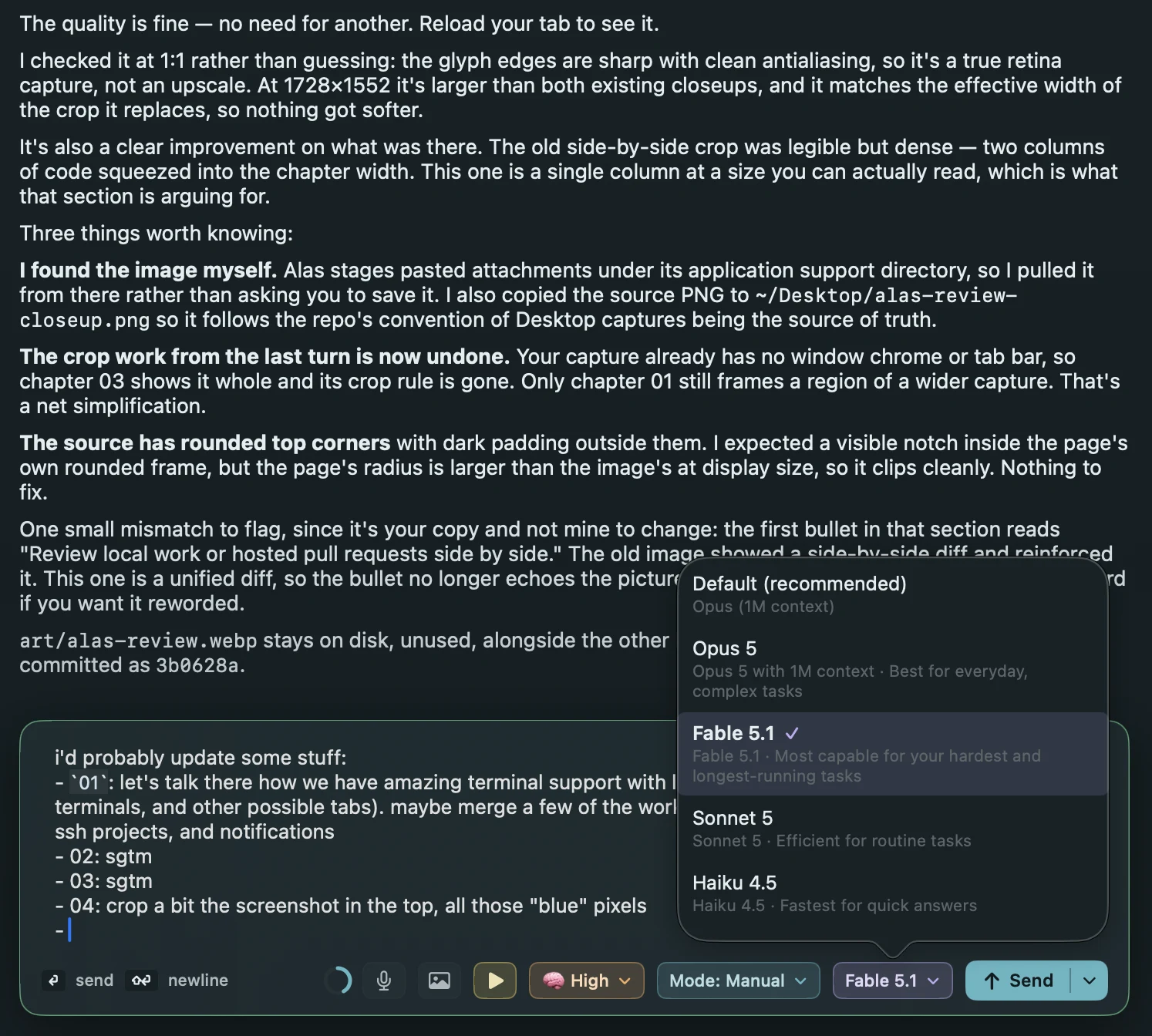
Any ACP agent runs in a chat pane beside the code it is changing, in the same window as the terminal, the editor, and the review.
TERMINAL02
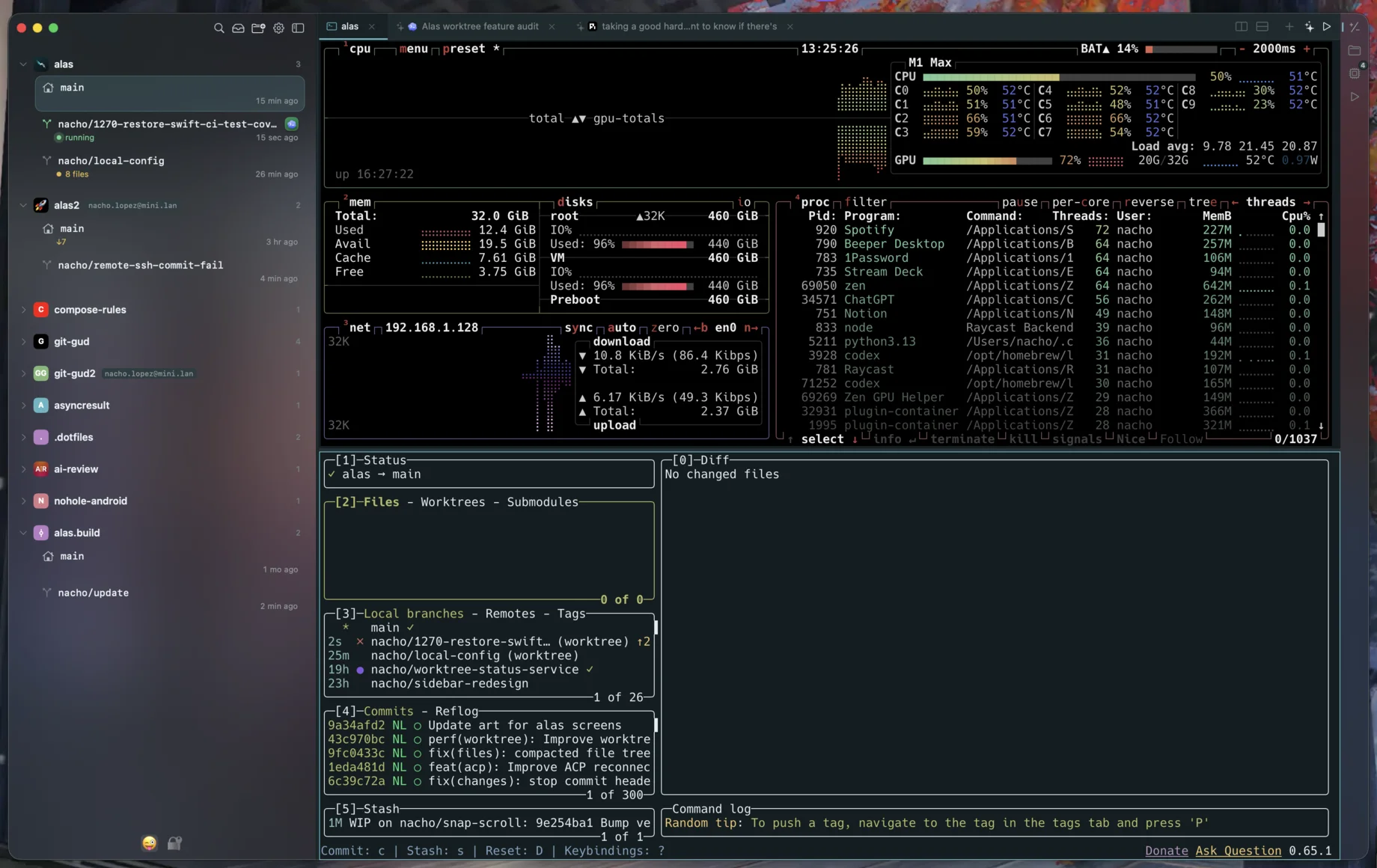
Terminal tabs are built on libghostty, so the TUIs you already live in render exactly as they should. Agent sessions, editors, and previews open as tabs in the same pane.
UNDERSTAND03
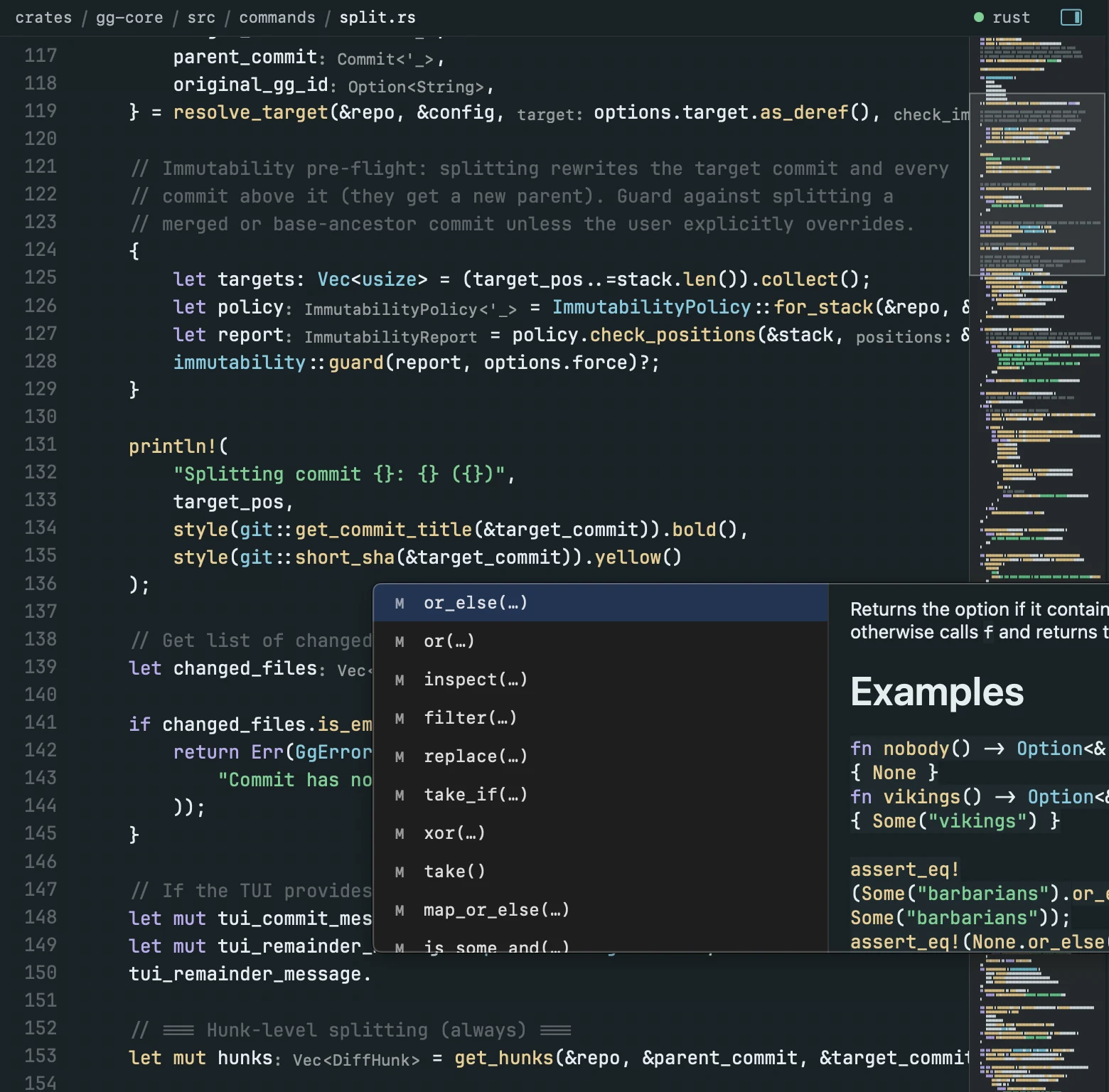
Read code beside its rendered output, then make the next change.
REVIEW04
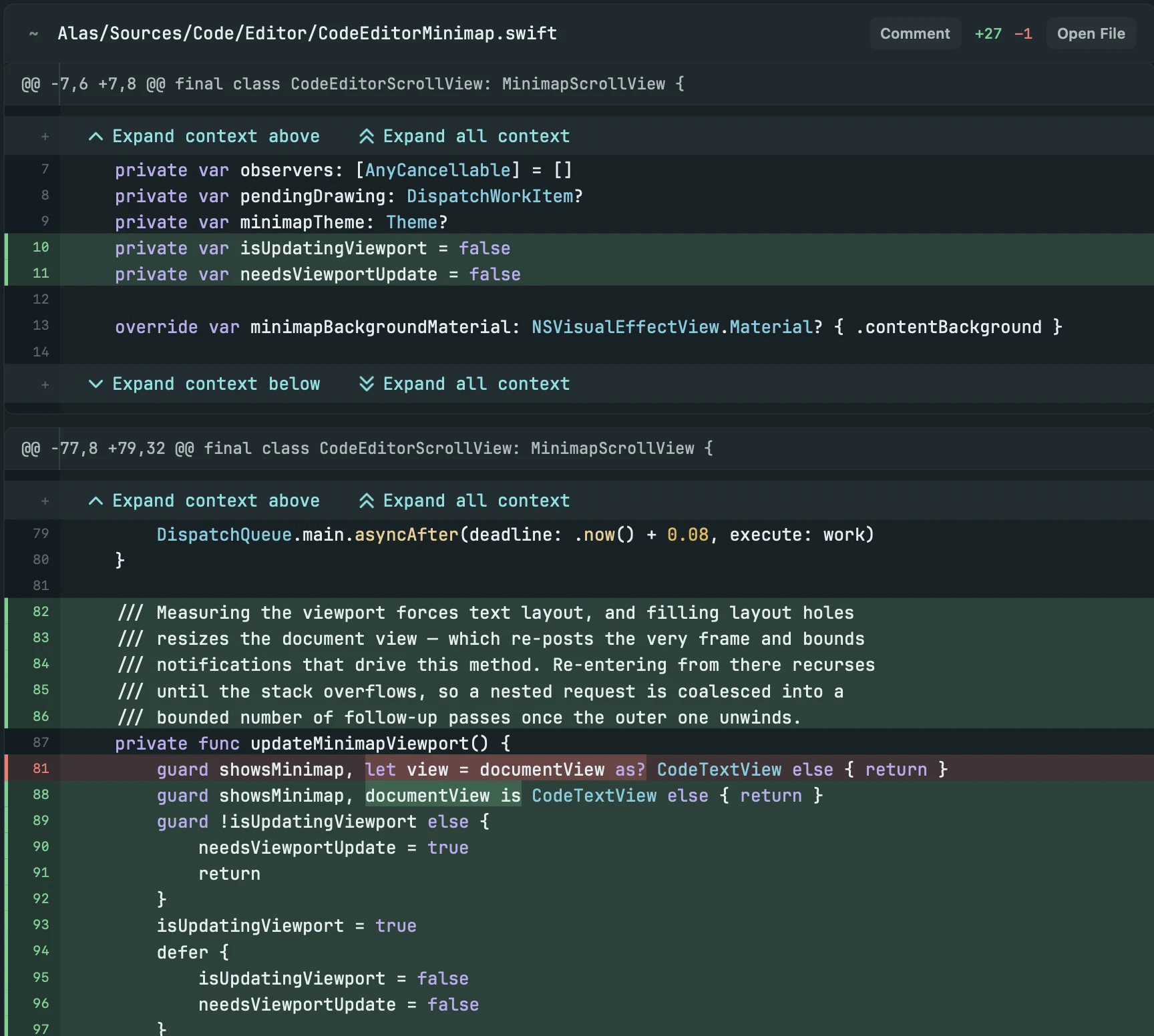
Turn feedback into the next agent action while the evidence is still attached to the code.
SHIP05
Keep the decisions, review state, and next handoff alongside the branch.
git-gud support when the work needs a stack.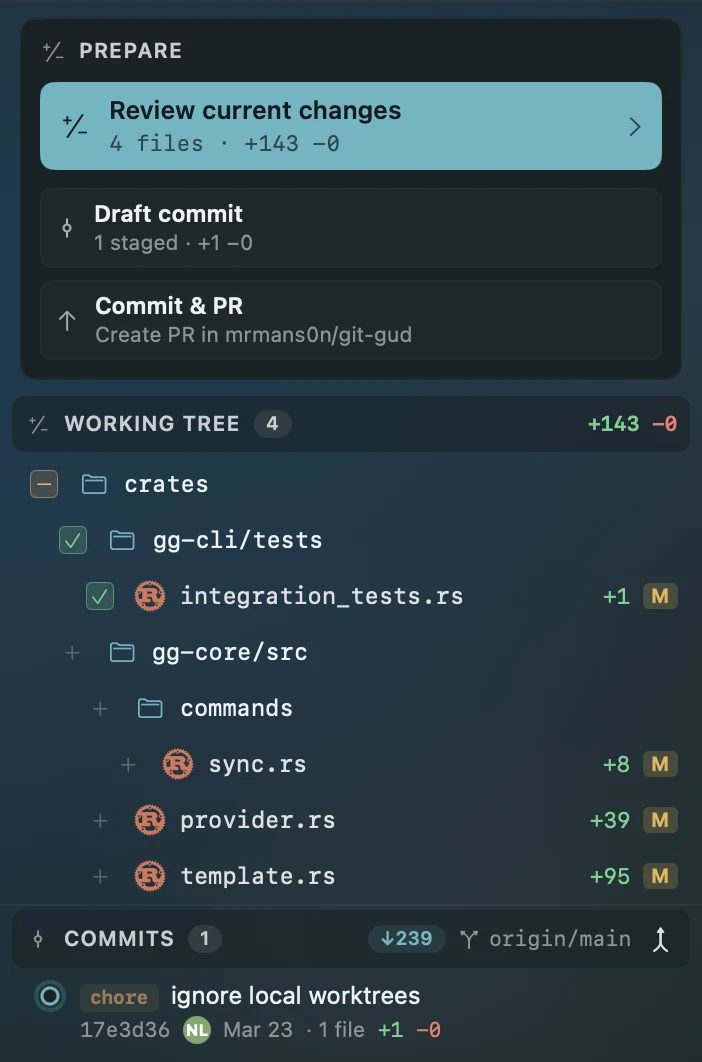
ANYWHERE06
Alas instances on your network find each other and pair. Your other Macs' worktrees and agents show up in the sidebar, natively, with no SSH and no Remote Login.
The takeover banner now appears only when another Mac actually holds the session. Tests pass, so I'm pushing the branch.
Permission needed
Run git push --force-with-lease origin nacho/takeover-banner?
Read-only mirror · Work MacBook Pro is writing
EVERYTHING AROUND THE LOOP
Install plugins from the alas-plugins catalog or bring your own. JavaScript plugins add tabs, panels, commands, and context, like Kanban and Agent Usage, with permissions approved up front.
Agents show sandboxed HTML mockups inline in the transcript and ask you to pick from a native card.
Apple Intelligence or a local Qwen model names worktrees, summarizes sessions, drafts commits and PR summaries, and explains conflicts, without leaving the Mac.
Agents delegate to child sessions on other agents and models, then wait on, read, and interrupt them over CLI or MCP.
Run scripts or agents by interval or time of day, optionally in a fresh worktree, with run history and reports.
Multi-repo Workspaces, plus a checkpoint before every prompt that you can restore from the transcript.
The phone hub gathers every paired Mac. Take over any session from your phone, and approve prompts from wherever you are.
Tabs, sessions, scroll positions, closed-tab reopening, resume, and directional navigation.
Open a project, hand off work, review it, and ship from the same window.
$ brew install --cask mrmans0n/tap/alas